
Profile Basics
Your YouTribe profile is your public business card across the entire platform.
It appears when:
• People discover you across tribes
• Members click your name inside tribes
• Creators check your credibility
• Customers decide whether to trust your products
This is the page that decides whether someone joins, buys, or ignores.
What Lives on Your Profile
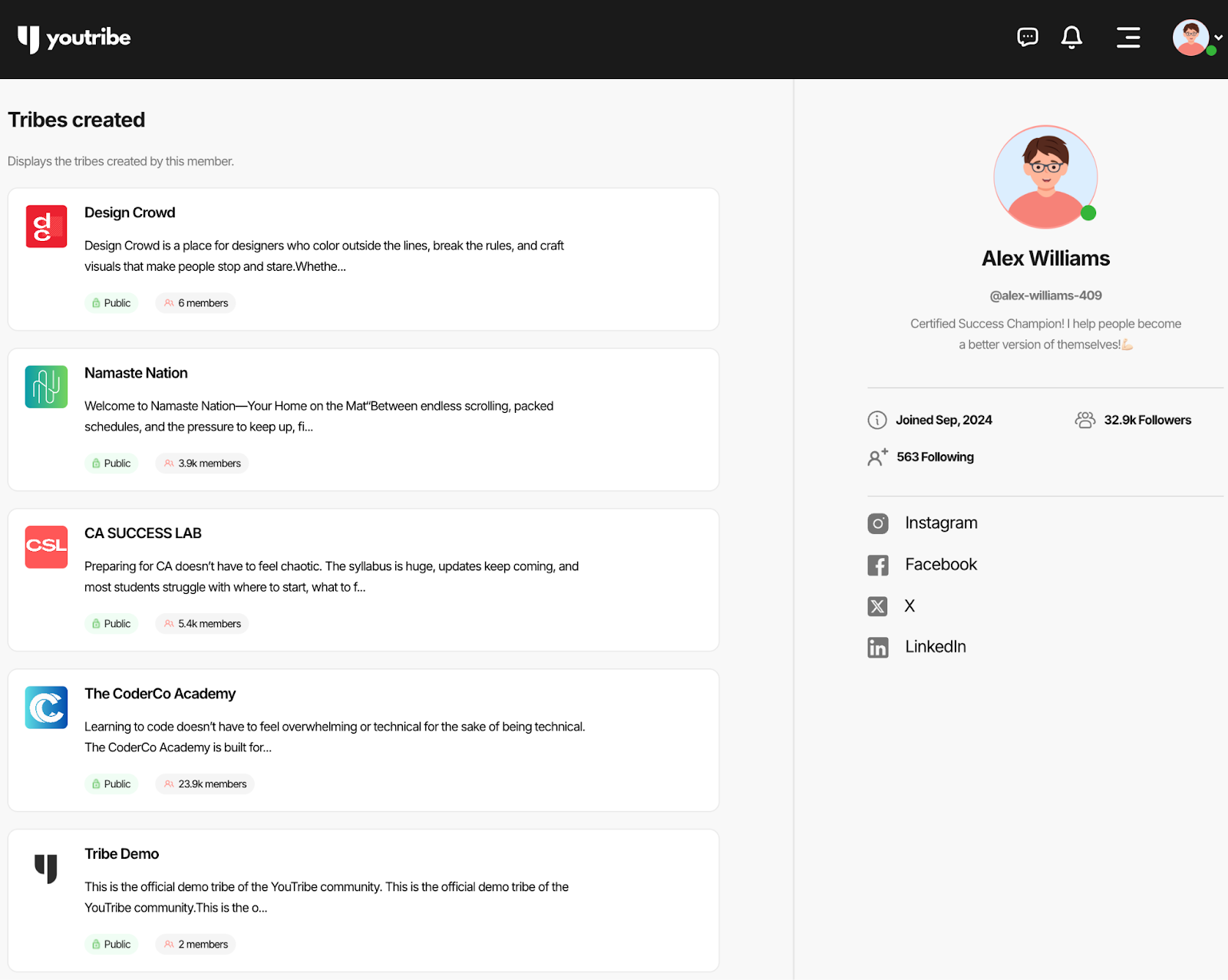
Your profile on YouTribe is made up of four visible layers:
1. Tribes Created
This section shows all the tribes you own.
People use this to:
• See what kind of creator you are
• Explore your public tribes
• Judge your credibility
• Decide whether to follow you
Active tribes increase trust instantly.
2. Tribes Joined
This shows the communities you participate in.
It signals:
• What you are learning
• Who you support
• Where you show up
This quietly builds relatability and trust.
3. Followers & Following
Followers
People who want updates when you publish or launch new tribes.
Following
Creators whose tribes and content you track.
This creates your visibility network across YouTribe.
4. Social Links
These verify your identity and extend your presence across platforms.
Use them to connect:
• Instagram
• YouTube
• LinkedIn
• Websites
• Portfolios
More real links = higher trust.
Setting Up Your Profile
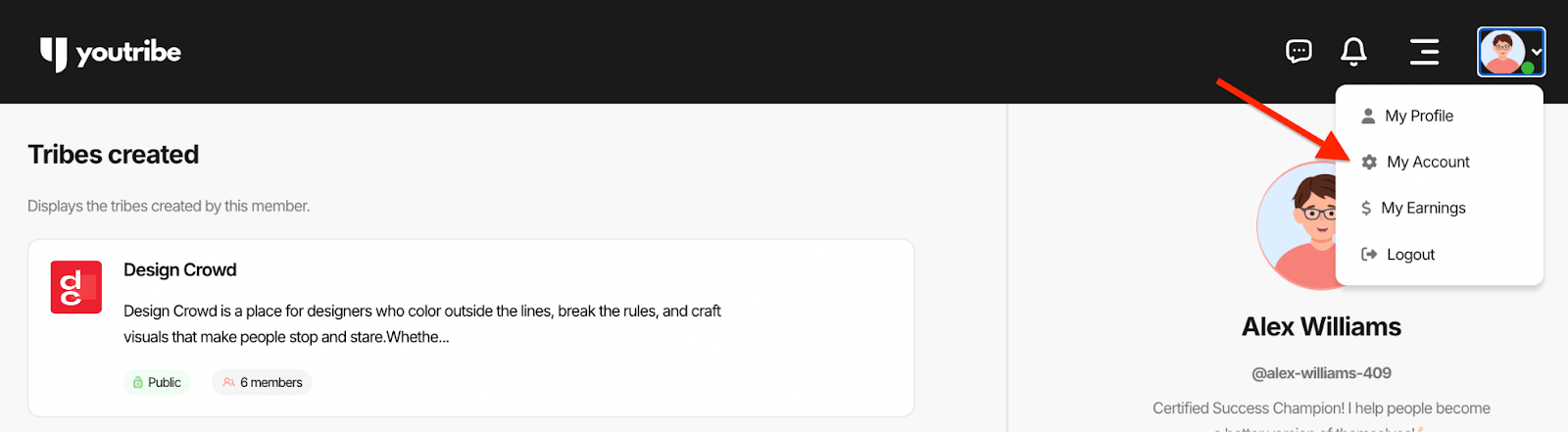
To set up your YouTribe profile or update it at any point, click on your avatar from the top right drop-down, and select My Account.
The General tab is where you can add and update details about your profile on YouTribe.
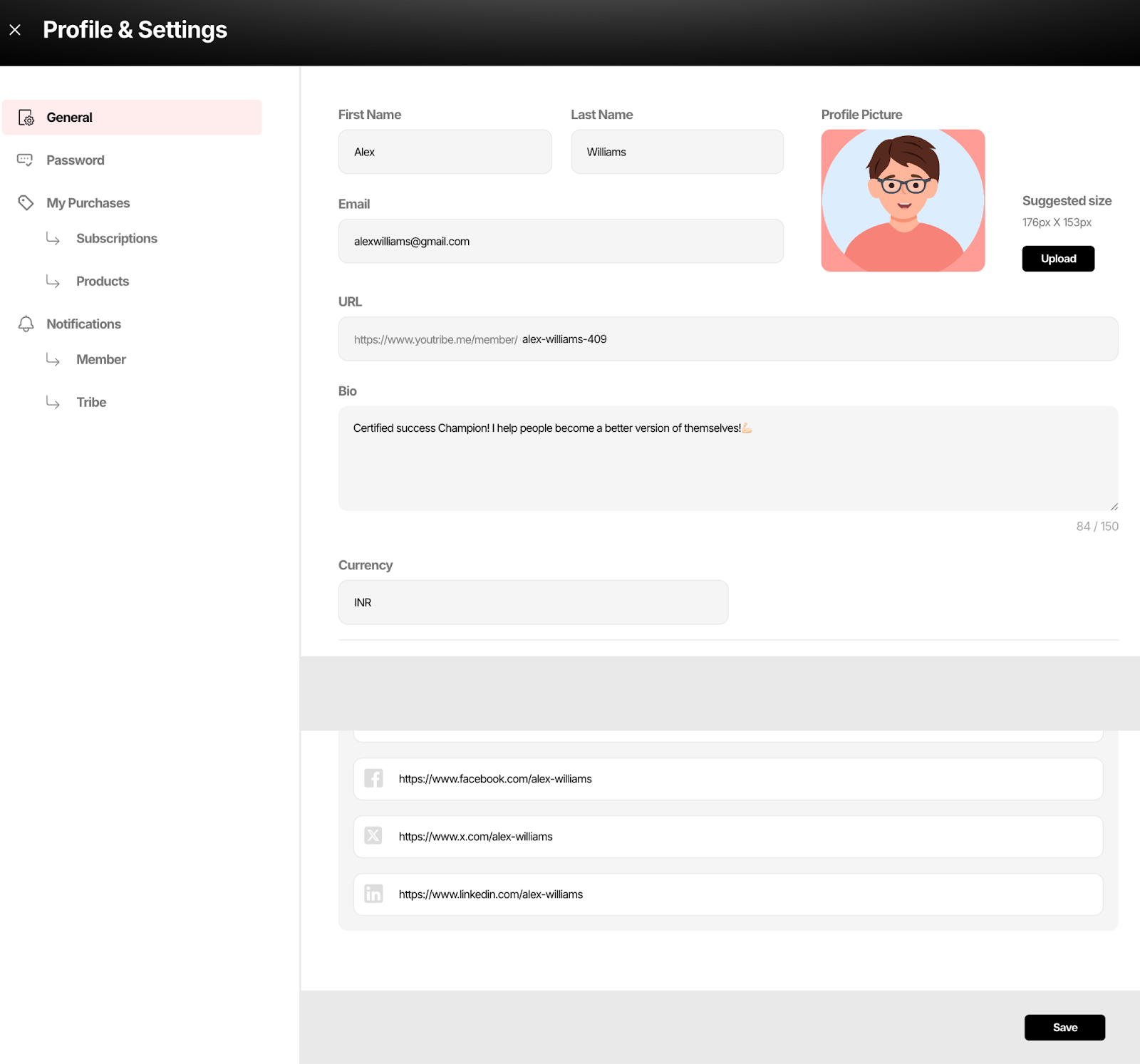
Name & Email
Your name and email form your public identity on YouTribe.
Your name also becomes part of your profile URL.
Profile Photo
Your profile photo appears everywhere:
• In feeds
• In comments
• In chats
• On your public profile
• On the marketplace
• Next to your products
Use a clear headshot with:
• Natural light
• Neutral background
• Face filling the frame
• No heavy filters
This alone can raise conversion rates on your tribe page.
Profile URL
Your profile URL is your permanent YouTribe identity.
You can share this link on:
• Instagram
• Twitter
• YouTube
• Websites
• Sales pages
This is where people land to see:
• Your tribes
• Your public products
• Your credibility
Treat it like your homepage.
Bio
Your bio answers one question:
Why should someone trust you?
Structure it as:
• Who you help
• What you help them do
• What they can expect inside your tribe
Example:
“Helping designers land higher-paying clients through practical systems and real feedback.”
Avoid generic lines like:
• Dream big
• Hustle hard
• Lifelong learner
Your bio is a conversion line, not a quote board.
Social Links
Your social links help visitors verify that you are real and active.
Add:
• Instagram
• YouTube
• Twitter/X
• LinkedIn
• Website
This increases trust and conversion.
After you’ve added/updated the details of your profile, click on the Save button at the bottom right of the screen to save your changes.