
Creator vs Member Roles
YouTribe does not lock you into a permanent role.
Every account can both build tribes and join tribes — using the same login.
You can create, sell, join, and participate across YouTribe without switching accounts.
When You are in Creator Mode
You are in Creator mode when you are managing your own tribe.
In this mode, you can:
• Create and configure your tribe
• Publish and manage content across tabs such as Feed, Channel, Courses, Kits, Products, Articles, and Events
• Create graphics, themes, audio, video, and digital asset products
• Set pricing plans, access limits, and free trials
• Manage members and roles
• Send messages and announcements
• Track revenue, referrals, and tribe growth
• List your content on the YouTribe Marketplace
When You are in Member Mode
You are in Member mode when you are inside other creators’ tribes.
In this mode, you can:
• Join free or paid tribes
• Access Feed, Channel, Courses, Kits, Products, Articles, and Events inside those tribes
• Purchase one-time products such as kits, templates, graphics, audios, and downloads
• Attend live events and bootcamps
• Chat with creators and other members
• Manage your subscriptions, purchases, and downloads
As a member, you can create a tribe of your own at any time by clicking on the top right menu.
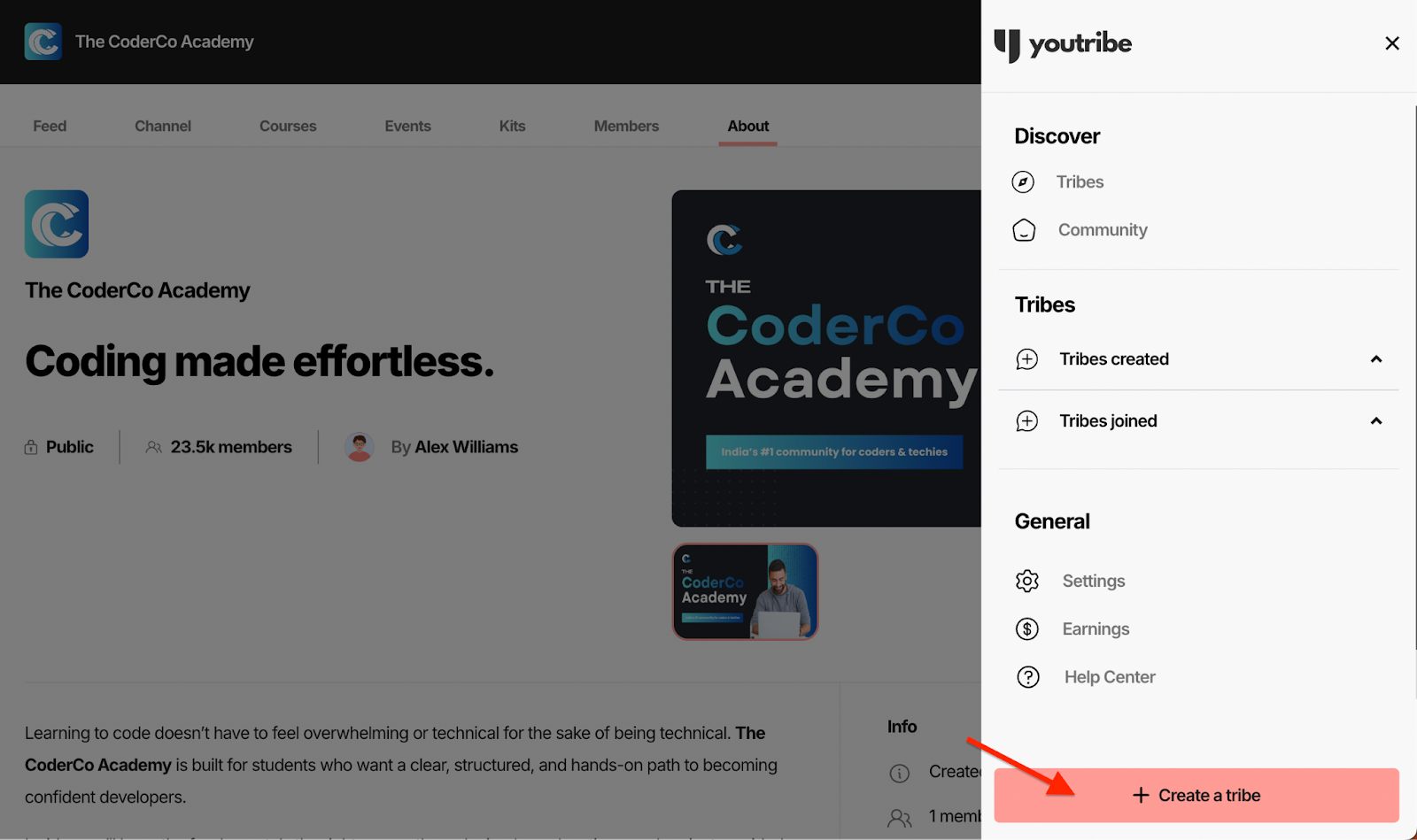
You do not need separate accounts. One account can do both.